QR Code Debugging
I wanted my $3.
The movies
The movie theater we go to has a parking garage with a validation for the movie theater. You can park for cheaper if you're seeing a movie. The way it works is, when you're paying for parking, you get a QR code to scan once you're inside the movie theater. There are two options for getting your code: either a printed receipt or you put in a phone number and they text you a link to your code.
We always do the printed receipt option. I don't like to put my phone number in somewhere if I don't have to. On this particular occasion, the kiosk was out of paper, and we had to get the code texted to us. Here's an approximation of what we saw:

We got inside and made our way over to the machine to scan the code.
The issue
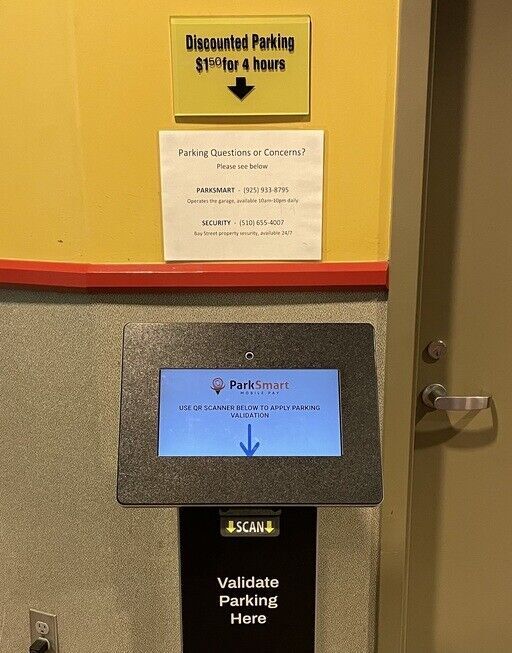
We've never had a problem with this, but on this occasion, the code didn't seem to scan. It wasn't that it scanned and errored, it just wouldn't scan at all. I tried turning the brightness up on my phone, different orientations, holding the phone closer and farther away. I couldn't get the machine to recognize it.
I assumed the machine was the problem. No matter: there are two machines in the theater. I wandered over to the other one and tried there. Same result. Worse, I let some people go ahead of me, and they scanned codes without issue.
The debugging
Here's something about me. I notice when QR codes are upside-down/rotated. I read the Wikipedia page for QR codes once and it's just stuck with me. I'm not sure if this is the power I would choose for myself, but it's one I have.
With this in mind, I figured I might be able to figure out what was wrong by looking at the QR code itself. It looked okay to me at first glance. My phone's QR code scanner seemed to read it.
Thinking.
Thinking.
Aren't QR codes normally black on white?
The fix

I wanted to figure out a way to flip colors the QR code to test my theory. My first thought was that maybe the QR code website was doing the wrong thing under dark mode. I tried turning system dark mode off, but that didn't change things. I searched for a way to do it quickly with image manipulation but didn't come up with anything fast. I looked at the Firefox appearance options and found "Website dark mode" which I didn't really think was different from system dark mode, but it has the note
Gives websites a dark appearance. Some sites might not look right.
I turned that off (I really don't remember turning it on) and the code scanned successfully! The kiosk uses a laser scanner to scan QR codes and it only works when the QR code elements are dark on a light background.
The blame
I chatted about this with my friend Eli. I was thinking that "the parking company is at fault". They developed a website that was reactive to dark mode when it should't have been. He convinced me I was wrong, that this is actually a weird option for Firefox on iOS to have. Reaching into SVGs to invert the colors seems like an odd choice to make. It wouldn't do the same thing if the image were a PNG, and SVGs seem like a perfectly acceptable format for QR codes.
So, I think I agree. This is a weird option for Firefox on iOS to have (other browsers don't seem to have something similar). I've disabled it now. If you ever happen upon a QR code that doesn't scan, perhaps this post will help you?